> ## Documentation Index
> Fetch the complete documentation index at: https://docs.decimal.ai/llms.txt
> Use this file to discover all available pages before exploring further.
# Replay
> Re-run stale traces through your updated agent and compare results.
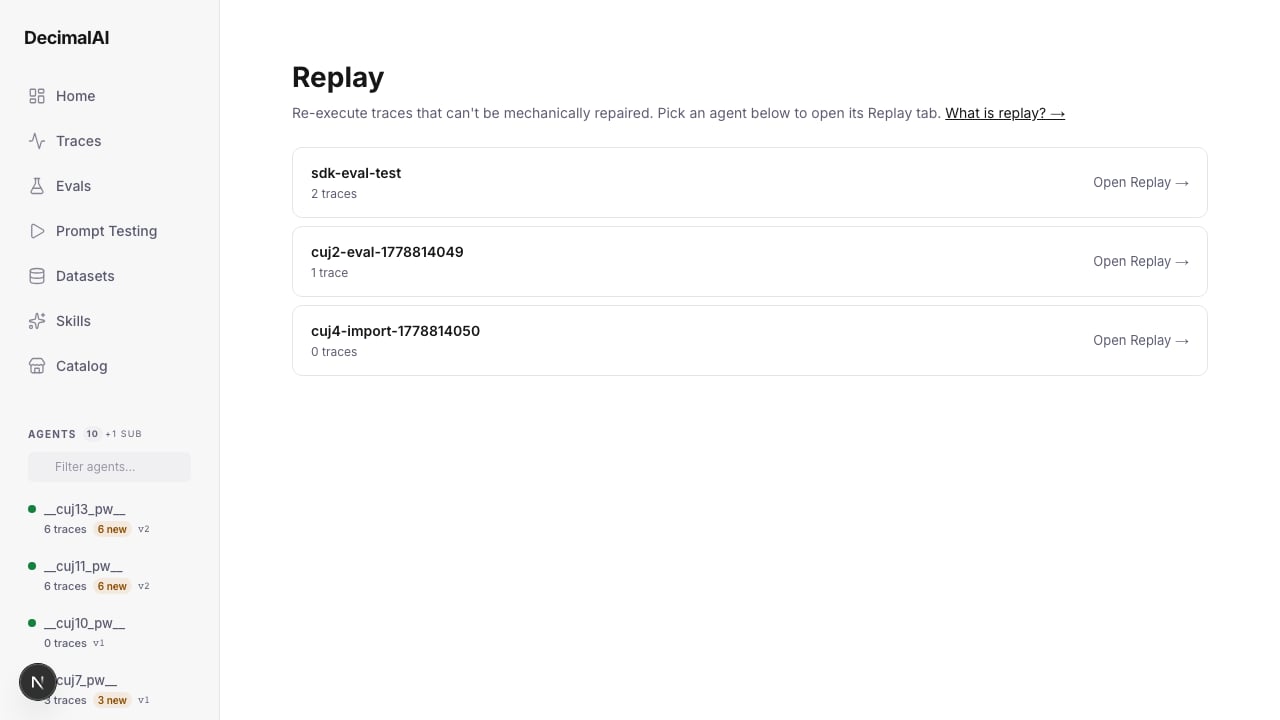
When your agent changes, some existing traces become stale — they were recorded against an older configuration. DecimalAI's replay workflow re-runs those stale prompts through your updated agent and compares the results.
## How It Works
DecimalAI is an **observability platform**, not an execution platform. Replay follows a **pull-based workflow**:
```mermaid theme={null}
%%{init: {'theme':'base','themeVariables':{'primaryColor':'#f5f5f4','primaryBorderColor':'#a8a29e','primaryTextColor':'#44403c','lineColor':'#a8a29e'}}}%%
flowchart LR
subgraph dai [DecimalAI Platform]
direction TB
A[Identify stale traces] --> B[Create replay batch]
E[Store results] --> F[Score + diff]
end
subgraph you [Your Infrastructure]
direction TB
C[Pull prompts] --> D[Run agent]
end
B -->|pull| C
D -->|submit| E
```
You pull stale prompts from DecimalAI, run them through your agent on your own infrastructure, and submit the results back.
## Replayability Classification
Not every trace can be replayed. DecimalAI classifies traces into three categories:
| Category | Definition | Example |
| ------------------------ | -------------------------------------------- | ----------------------------------------------------- |
| **Fully replayable** | All inputs are captured — can re-run exactly | Pure text in/out, tool calls with recorded args |
| **Partially replayable** | Some inputs depend on external state | RAG queries where the knowledge base may have changed |
| **Not replayable** | Inputs depend on real-time context | Streaming data, user sessions, time-sensitive queries |
## Running a Replay
### Via the SDK
```python theme={null}
from decimalai.replay import run as replay_run, load_agent_fn
# Load your agent function
fn = load_agent_fn("my_app.agent:run")
# Run replay on stale traces
results = replay_run(
agent_fn=fn,
agent_name="support-agent",
limit=50,
)
print(f"Completed: {results.completed}")
print(f"Pass rate: {results.pass_rate:.0%}")
```
### Via the CLI
```bash theme={null}
decimalai replay run batch_abc123 \
--agent-fn my_app.agent:run \
--api-key dai_sk_...
```
Output:
```
✓ [1/50] abc123: completed
✓ [2/50] def456: completed
✗ [3/50] ghi789: failed
...
========================================
Replay Summary
========================================
Total: 50
Completed: 48
Passed: 45
Failed: 3
Skipped: 2
Pass rate: 94%
```
### Manual Flow
For teams with custom execution environments, you can decouple prompt export from agent execution:
```python theme={null}
from decimalai.replay import get_prompts, link
# Step 1: Export prompts from stale traces.
# get_prompts(agent_name, verdict=None, limit=500) returns ReplayPrompt
# objects — access fields as attributes: p.trace_id, p.user_input.
prompts = get_prompts(agent_name="support-agent", limit=50)
# Step 2: Run your agent however you like
for p in prompts:
new_trace_id = my_custom_runner(p.user_input)
# Step 3: Link the new trace back to the original.
# link() takes exactly two trace IDs; it does NOT store your output —
# it links two existing traces and triggers backend scoring.
link(original_trace_id=p.trace_id, replayed_trace_id=new_trace_id)
```
You can also export prompts from the dashboard via the **"Export Prompts"** button on the Replay tab, or via the API:
```bash theme={null}
curl https://api.decimal.ai/api/v1/replay/export?agent_name=support-agent \
-H "Authorization: Bearer $API_KEY" > prompts.jsonl
```
 ## What Happens After Replay
Replay results feed back into the platform:
1. **New traces are created** — tagged as replay outputs
2. **Evaluators score the new outputs** — same eval suite as production
3. **Side-by-side comparison** — original output vs. replay output
4. **DPO pairs generated** — original (rejected) + replay (chosen) for preference training
### Pairwise Evaluation
When scoring replayed traces, the platform runs a **pairwise comparison**: "Given the same task, which trajectory is better — original (v1) or replayed (v2)?" This comparison considers:
* Eval scores from both versions
* Output quality and completeness
* Tool call correctness
Each replayed trace gets a **win / loss / tie** verdict:
| Verdict | Meaning | DPO result |
| -------- | ------------------------- | ----------------------------------------------- |
| **Win** | The new output is better | DPO pair (new = chosen, old = rejected) |
| **Loss** | The old output was better | Reverse DPO pair (old = chosen, new = rejected) |
| **Tie** | No significant difference | Skipped for DPO |
Pairwise evaluation runs automatically when replay results are submitted, and results are surfaced in the replay summary and on the **Replay** tab of the agent dashboard — a free byproduct of the replay workflow.
## DPO Pair Generation
When a replay produces a better output than the original, DecimalAI can generate DPO training pairs:
```json theme={null}
{
"prompt": "How do I reset my password?",
"chosen": "Go to Settings > Security > Reset Password...",
"rejected": "I don't have access to account settings."
}
```
These pairs are accessible from the dataset builder and can be exported for preference-based fine-tuning.
***
## Export Prompts
You can export stale prompts for offline processing — useful when you run your agent on infrastructure that can't pull from the SDK directly.
**Dashboard:** Click **"Export Prompts"** on the Replay tab (or **"Replay Prompts"** on the Impact Report banner) to download a JSONL file of all replay-eligible prompts.
**API:**
```bash theme={null}
curl -X GET "https://api.decimal.ai/api/v1/replay/export?agent_name=my-agent" \
-H "Authorization: Bearer $API_KEY" \
-o prompts.jsonl
```
After running the prompts through your own agent, link each new trace back to its original with `link(original_trace_id=..., replayed_trace_id=...)` (see [Manual Flow](#manual-flow) above) so the platform can score the comparison and generate DPO pairs.
***
## When to Replay
| Scenario | Replay? | Why |
| --------------------- | ----------- | -------------------------------- |
| Added a new tool | Usually not | Existing traces are still valid |
| Changed system prompt | Yes | Outputs may differ significantly |
| Upgraded model | Yes | Compare outputs across models |
| Removed a tool | Yes | Traces using that tool are stale |
| Fixed a bug in a tool | Yes | Re-run to get corrected outputs |
**Repair vs Replay:** For schema changes (tool renamed, parameter changed), use [Repair](/guides/manifests#repair-fix-traces-mechanically) instead — it's instant and costs nothing. Use replay only when agent *behavior* changed (prompt, model).
## Next Steps
REST reference for create batch, submit results, export prompts.
Build DPO datasets from replay pairs (original = rejected, new = chosen).
Replay is triggered by manifest changes — understand the diff first.
## What Happens After Replay
Replay results feed back into the platform:
1. **New traces are created** — tagged as replay outputs
2. **Evaluators score the new outputs** — same eval suite as production
3. **Side-by-side comparison** — original output vs. replay output
4. **DPO pairs generated** — original (rejected) + replay (chosen) for preference training
### Pairwise Evaluation
When scoring replayed traces, the platform runs a **pairwise comparison**: "Given the same task, which trajectory is better — original (v1) or replayed (v2)?" This comparison considers:
* Eval scores from both versions
* Output quality and completeness
* Tool call correctness
Each replayed trace gets a **win / loss / tie** verdict:
| Verdict | Meaning | DPO result |
| -------- | ------------------------- | ----------------------------------------------- |
| **Win** | The new output is better | DPO pair (new = chosen, old = rejected) |
| **Loss** | The old output was better | Reverse DPO pair (old = chosen, new = rejected) |
| **Tie** | No significant difference | Skipped for DPO |
Pairwise evaluation runs automatically when replay results are submitted, and results are surfaced in the replay summary and on the **Replay** tab of the agent dashboard — a free byproduct of the replay workflow.
## DPO Pair Generation
When a replay produces a better output than the original, DecimalAI can generate DPO training pairs:
```json theme={null}
{
"prompt": "How do I reset my password?",
"chosen": "Go to Settings > Security > Reset Password...",
"rejected": "I don't have access to account settings."
}
```
These pairs are accessible from the dataset builder and can be exported for preference-based fine-tuning.
***
## Export Prompts
You can export stale prompts for offline processing — useful when you run your agent on infrastructure that can't pull from the SDK directly.
**Dashboard:** Click **"Export Prompts"** on the Replay tab (or **"Replay Prompts"** on the Impact Report banner) to download a JSONL file of all replay-eligible prompts.
**API:**
```bash theme={null}
curl -X GET "https://api.decimal.ai/api/v1/replay/export?agent_name=my-agent" \
-H "Authorization: Bearer $API_KEY" \
-o prompts.jsonl
```
After running the prompts through your own agent, link each new trace back to its original with `link(original_trace_id=..., replayed_trace_id=...)` (see [Manual Flow](#manual-flow) above) so the platform can score the comparison and generate DPO pairs.
***
## When to Replay
| Scenario | Replay? | Why |
| --------------------- | ----------- | -------------------------------- |
| Added a new tool | Usually not | Existing traces are still valid |
| Changed system prompt | Yes | Outputs may differ significantly |
| Upgraded model | Yes | Compare outputs across models |
| Removed a tool | Yes | Traces using that tool are stale |
| Fixed a bug in a tool | Yes | Re-run to get corrected outputs |
**Repair vs Replay:** For schema changes (tool renamed, parameter changed), use [Repair](/guides/manifests#repair-fix-traces-mechanically) instead — it's instant and costs nothing. Use replay only when agent *behavior* changed (prompt, model).
## Next Steps
REST reference for create batch, submit results, export prompts.
Build DPO datasets from replay pairs (original = rejected, new = chosen).
Replay is triggered by manifest changes — understand the diff first.